
The Buzz Boards
How To set up Payment
Want to tap into a passive income system without needing tech skills, a social following, or even your own product? You’re just a few clicks away.
✅ Step 1:
Start by going to the Ready page (from your Blueprint Email) where you’ll see a bold headline like this:

Click the yellow button that says:
“YES! GET ACCESS TO LEGACY TODAY!”
This will take you to the secure checkout.
💳 Step 2: Select a Payment Method
Once you're on the checkout page, choose how you'd like to pay. The Payment option is listed after you click the RED button.
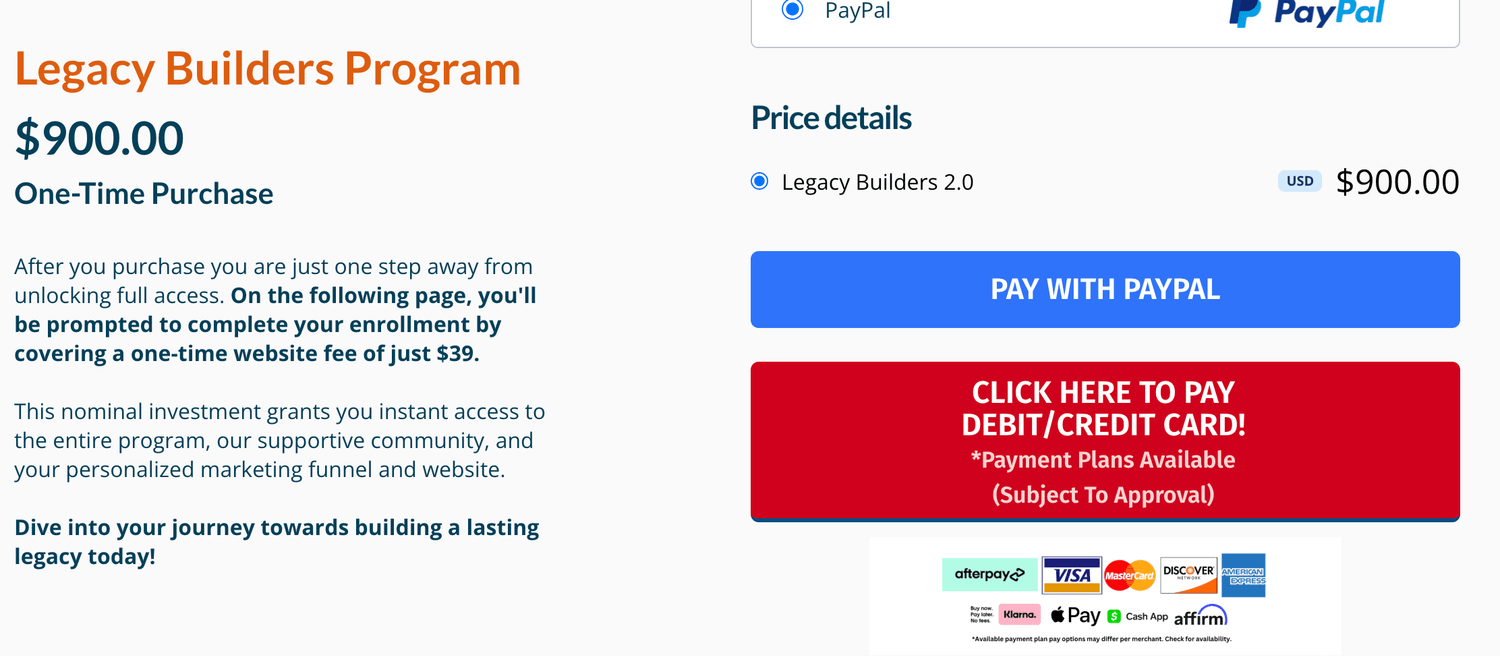
You’ll see Afterpay and Klarna options with flexible installment plans. Chose the one you would like to apply with and click Learn More to see the payment information
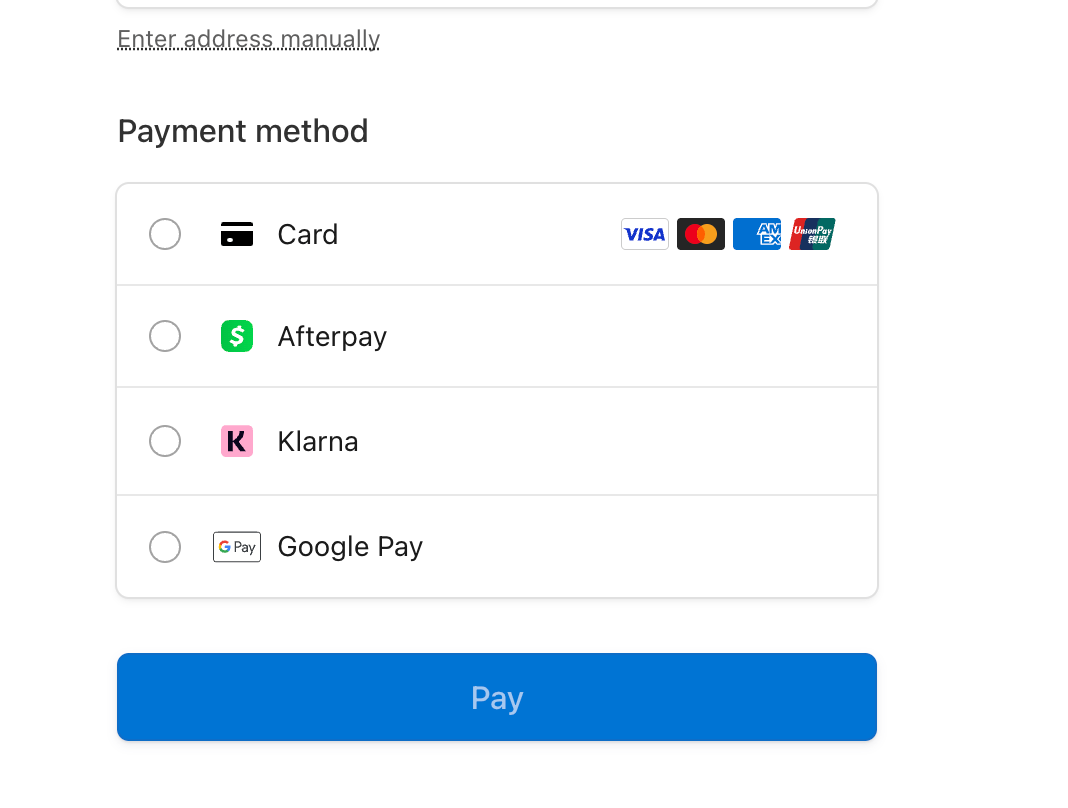
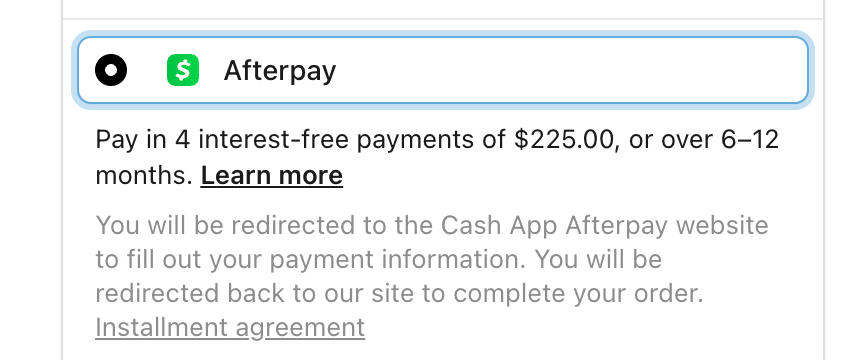
Option A: Afterpay
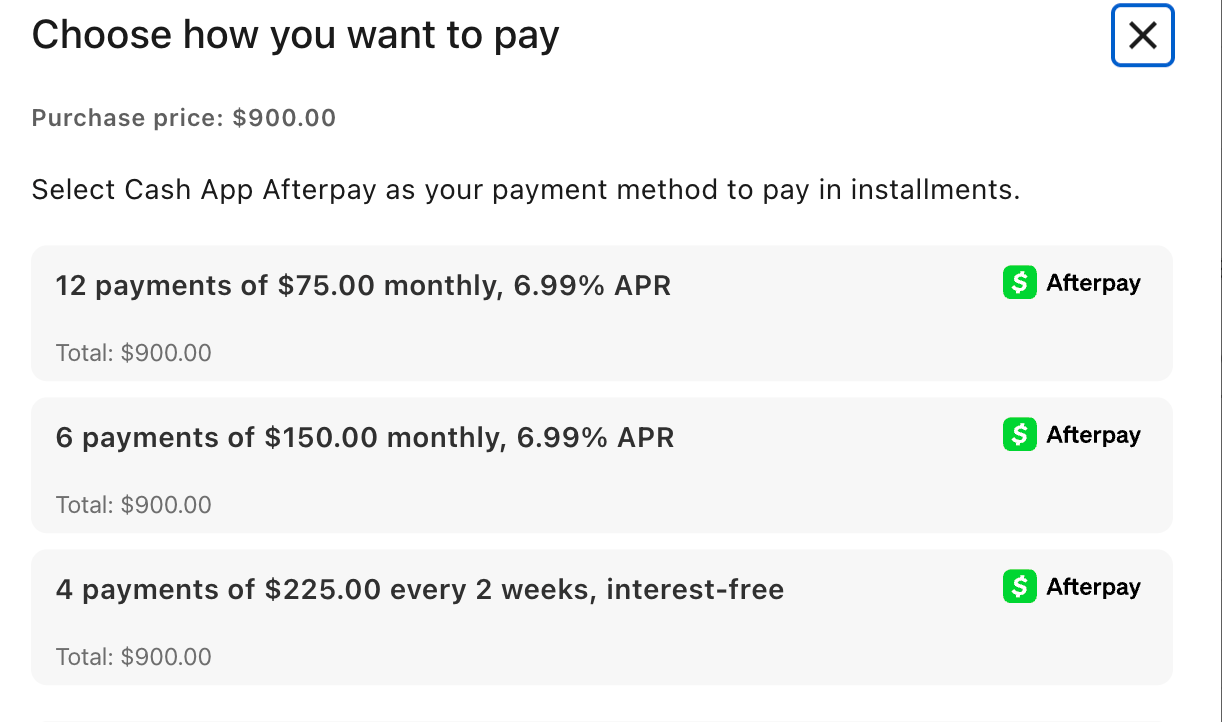
Option B: Klarna
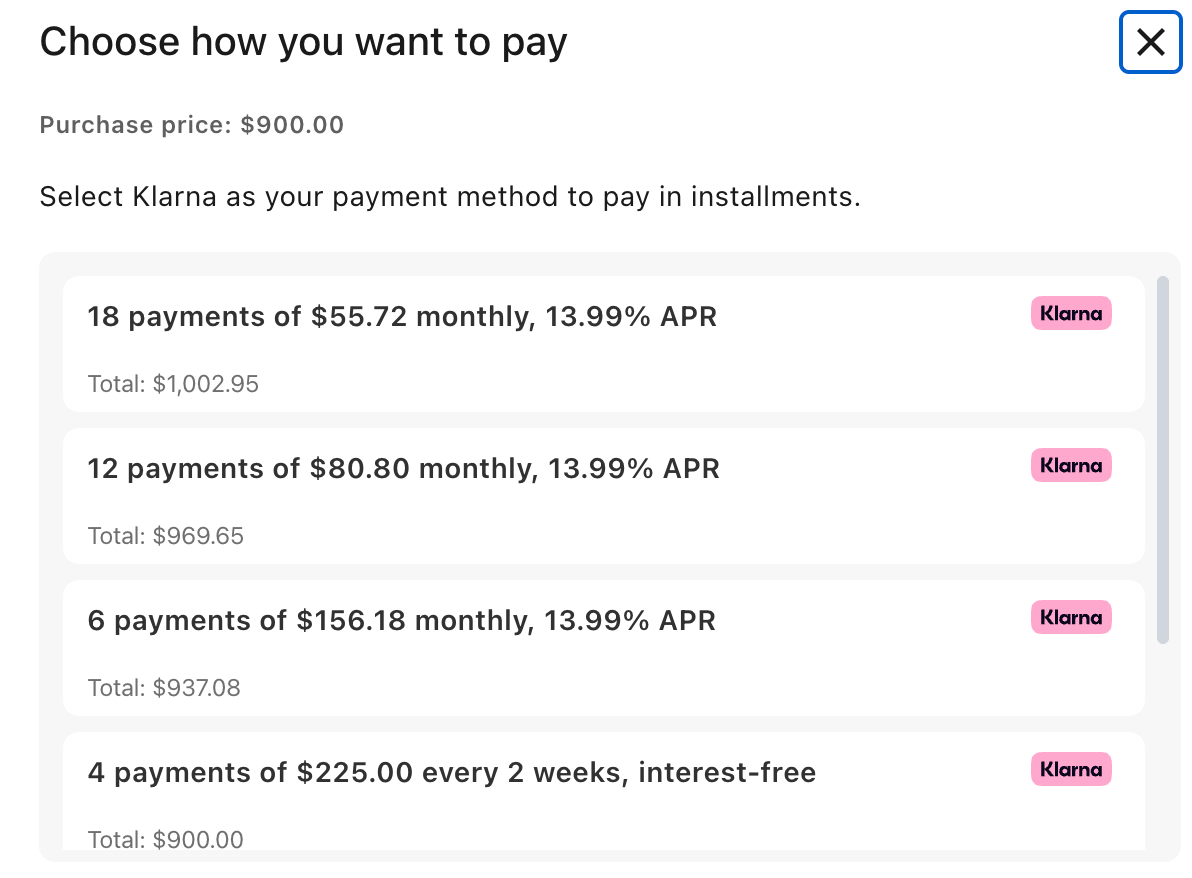
Pick what works best for your budget.
After selecting Klarna, you’ll be redirected to their site to complete the payment, then returned to finalize the order.
🧾 Step 3: Complete Your Payment
Follow the prompts through Afterpay or Klarna to finish the transaction. Once it’s done, you’ll be brought back to the site with confirmation and access instructions.
Get the latest insights from the marketing world.